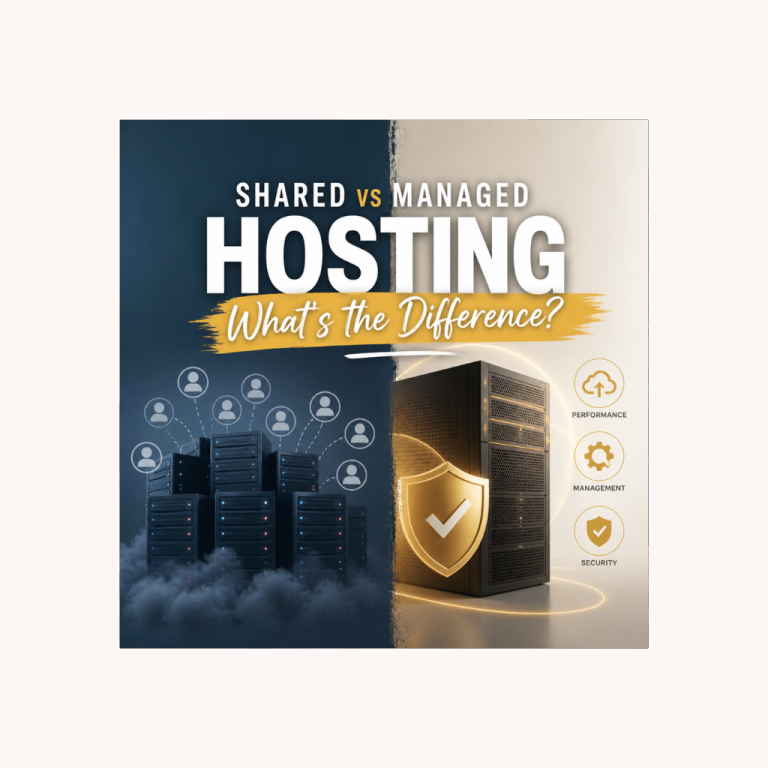
What is managed WordPress hosting?
So, what is managed WordPress hosting? In short, it’s a type of web hosting specifically built and optimised for WordPress sites, where the hosting provider handles the technical management of your WordPress installation, rather than leaving it to you.
With standard shared hosting (Bluehost, Hostinger, and similar), you’re responsible for keeping WordPress updated, managing security, configuring performance optimisation, and handling backups. The host provides the server. What you put on it and how you maintain it is largely your concern.
With managed WordPress hosting, the provider takes on much of that responsibility. Automatic WordPress updates, daily backups with easy restore, server-level caching optimised for WordPress, staging environments for safe testing, and WordPress-specialist support are all handled as part of the service.
What managed WordPress hosting typically includes
Automatic WordPress updates – core WordPress updates are applied automatically, keeping your installation current and secure without manual intervention.
Daily automatic backups: your site is backed up every day, with multiple restore points. If something goes wrong, you can restore a previous version with a few clicks.
Server-level caching – caching is configured at the server infrastructure level rather than relying on a WordPress caching plugin. Faster and more reliable than plugin-based caching.
Staging environments – a copy of your live site where you can test plugin updates, theme changes, or content restructuring before pushing changes to the live site. Invaluable for avoiding breaking changes on a live site with real traffic.
WordPress-specialist support – support agents who understand WordPress technically, not just general hosting questions. When something goes wrong with WordPress specifically, managed hosting support can diagnose and fix WordPress-level problems rather than just hosting-level ones.
Performance optimisation – infrastructure specifically configured for WordPress’s technical requirements. Faster page load times than standard shared hosting at comparable traffic levels.

How managed WordPress hosting differs from shared hosting
| Shared hosting | Managed WordPress hosting | |
|---|---|---|
| WordPress updates | Manual | Automatic |
| Backups | Plan-dependent (often weekly) | Daily, multiple restore points |
| Caching | Plugin-based | Server-level |
| Staging | Rarely included | Usually included |
| Support | General hosting | WordPress specialists |
| Performance | Adequate for new sites | Optimised for scale |
| Cost (USA) | $2–$15/month | $25–$100+/month |
| Cost (UK) | £1.50–£10/month | £20–£80+/month |
Who provides managed WordPress hosting?
The leading managed WordPress hosting providers are:
Kinsta — built on Google Cloud Platform. Widely regarded as the best overall managed WordPress host for performance, dashboard quality, and support. USA: from ~$35/month. UK: from ~£30/month.
WP Engine — strong for WooCommerce stores and agency use. Comparable to Kinsta in quality. USA: from ~$32/month. UK: from ~£25/month.
SiteGround occupies a middle ground. Technically shared hosting, but includes more managed WordPress features (daily backups, staging on GrowBig+, managed updates, WordPress-specialist support) than standard shared hosts. USA: from ~$4.99/month introductory. UK: from ~£3.50/month introductory.
SiteGround is worth calling out specifically because it provides many of the benefits of managed hosting at shared hosting prices, making it a practical bridge between the two tiers for sites in the growth phase.

When does managed WordPress hosting make sense?
Managed WordPress hosting is an investment at $35+/month (USA) or £30+/month (UK); it costs significantly more than shared hosting. The question is when that investment is justified.
Managed hosting starts to make sense when:
Your site is generating income. Display ad revenue, affiliate commissions, ecommerce sales, or membership subscriptions. Once your site starts earning money, the reliability and performance of managed hosting have a direct impact on revenue. Faster pages mean higher ad RPM. Better uptime means no lost sales.
Your site is approaching premium ad network thresholds. Mediavine requires 50,000 sessions/month. Raptive requires 100,000 monthly pageviews. Sites at these traffic levels have real financial exposure to performance issues. The upgrade to managed hosting is a business decision, not just a technical one.
You’re spending a meaningful amount of time on technical maintenance. If you’re regularly dealing with plugin conflicts, performance issues, or security problems on shared hosting, managed hosting pays for itself in the time it saves.
Managed hosting is premature if:
Your site is new and not yet generating meaningful traffic or income. The performance advantages of managed hosting are real, but most significant at scale. A new site with 1,000 monthly visitors performs fine on quality shared hosting.

The recommended path for most sites
Start on SiteGround (shared hosting with managed features), good performance, daily backups, excellent support, and staging on GrowBig plans. Covers most needs in a site’s growth phase at a sensible price.
Upgrade to Kinsta when your site is generating meaningful income and the performance improvement has a measurable impact on revenue. The free migration Kinsta includes with new accounts makes the move straightforward.
This isn’t a compromise, it’s a sensible matching of infrastructure cost to site stage.

Frequently asked questions
What is managed WordPress hosting in simple terms?
It’s hosting where the provider takes care of the technical side of running WordPress for you – automatic updates, daily backups, WordPress-tuned caching, and support from people who know WordPress specifically – rather than leaving that maintenance to you, as standard shared hosting does.
How is managed WordPress hosting different from shared hosting?
Shared hosting gives you a server and leaves WordPress maintenance – updates, backups, caching, security – to you. Managed hosting handles all of that automatically, on infrastructure specifically tuned for WordPress, at a significantly higher price.
Is managed WordPress hosting worth it?
For a new site with modest traffic, not yet – quality shared hosting like SiteGround covers the essentials at a fraction of the cost. It becomes worth it once your site is generating income or traffic where the performance and reliability improvements have a measurable financial impact.
How much does managed WordPress hosting cost?
Entry-level managed hosting from providers like Kinsta or WP Engine typically starts around $25–$35/month in the US or £20–£30/month in the UK, roughly eight to ten times the cost of entry-level shared hosting.
Do I need managed WordPress hosting for a new site?
No. A new WordPress site with modest traffic runs perfectly well on quality shared hosting. Managed hosting is worth the upgrade once your site’s traffic or revenue reaches a point where better performance and reliability translate into measurable financial benefit.
Is SiteGround managed WordPress hosting?
Not strictly – SiteGround is shared hosting, but it includes several managed-hosting features (daily backups on all plans, staging on GrowBig and above, managed updates, WordPress-specialist support) that put it closer to managed hosting than a typical budget shared host.
Read more
For a detailed comparison of shared vs managed hosting, including specific guidance on when to upgrade and a full breakdown of what each type includes:
Shared vs managed WordPress hosting — which do you need? →
For the full Kinsta review, including performance data and who it’s genuinely right for:
Kinsta review — is managed hosting worth it? →
For help choosing the right hosting level for your specific situation:
Howtostartyourwebsite.com may get paid commission for purchases made after clicking a link on this page. This website is for inspiration purposes only. The content provided is meant to spark creativity and ideas, not to serve as professional advice or as endorsement.