WordPress.com vs WordPress.org – what’s the difference?
If you’ve spent more than ten minutes researching how to build a website, you’ve almost certainly come across both of these. And if you’re confused about what the difference is, you’re not alone. The naming is genuinely confusing, and the two products are different enough that choosing the wrong one can send you down a path that doesn’t suit your goals at all.
This WordPress.com vs WordPress.org comparison clears it up completely. By the end of it you’ll understand exactly what each one is, which is right for your situation, and why the distinction matters more than it might seem.
The one-sentence version
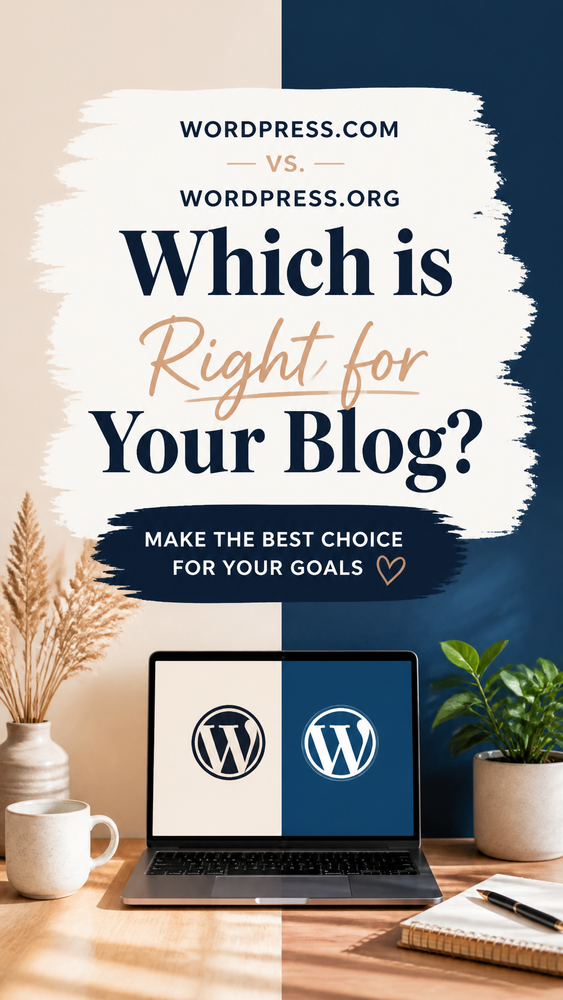
WordPress.com is a hosted website platform similar to Wix or Squarespace, where WordPress manages everything for you.
WordPress.org is free, open-source software that you download and install on your own hosting, giving you complete control over your site.
Same name. Very different products. Made by related but separate organisations. And the confusion between them causes real problems for people who sign up for one, thinking they’re getting the other.

Some history – why there are two WordPresses
WordPress was created in 2003 by Matt Mullenweg and Mike Little as an open-source blogging platform. The software is maintained by the WordPress Foundation and is available free at WordPress.org it’s the software itself, the code, the thing you install.
In 2005, Matt Mullenweg also founded Automattic a separate commercial company which launched WordPress.com as a hosted service built on the WordPress software. WordPress.com is Automattic’s product. WordPress.org is the open-source foundation.
The two are related WordPress.com runs on WordPress software but they’re governed and operated separately. WordPress.org is a nonprofit foundation. WordPress.com is a commercial platform that makes money from its paid plans.
This is why the naming is confusing. It wasn’t designed to be clear to end users it evolved from the history of the project.

What is WordPress.org?
WordPress.org is home to the free, open-source WordPress software, the platform that powers over 43% of all websites on the internet, from personal blogs to major news organisations to global ecommerce stores.
When most people in the website-building world say “WordPress” without qualification, they mean WordPress.org, the self-hosted version. When guides on this site talk about WordPress, they mean WordPress.org unless specifically stated otherwise.
How it works:
You download the WordPress software for free from WordPress.org. You choose a web hosting provider, such as Bluehost, SiteGround, Hostinger, Kinsta, or others, and pay for hosting separately. You install WordPress on your host (most hosts offer one-click installation, so this takes two minutes). From there, you have a fully functional WordPress site that you own and control.
What you get:
- The WordPress software is completely free
- Complete ownership of your site and all its content
- Access to over 60,000 free and paid plugins
- Thousands of free and paid themes
- Full SEO control with plugins like Rank Math
- Complete compatibility with all display ad networks
- The ability to customise every aspect of your site
- Your own domain name from day one
- No platform branding on your site
- The freedom to move hosts at any time
What you’re responsible for:
- Choosing and paying for hosting (USA: ~$2–$35+/month. UK: ~£1.50–£30+/month, depending on your needs)
- Buying a domain name (USA: ~$10–$15/year. UK: ~£10–£15/year)
- Installing WordPress (one-click on most hosts)
- Managing updates – WordPress core, themes, and plugins
- Security and backups (handled through plugins – UpdraftPlus for backups, Wordfence for security)
- Any technical issues that arise
Who it’s for:
Almost anyone is serious about building a website for the long term. Bloggers, content creators, affiliate marketers, ecommerce sellers, businesses, membership site owners – self-hosted WordPress is the foundation most professional websites are built on for good reason.

What is WordPress.com?
WordPress.com is Automattic’s hosted website platform. You sign up, choose a plan, and Automattic takes care of all the infrastructure – hosting, security, updates, and maintenance – in exchange for a monthly or annual fee.
It’s similar in concept to Squarespace or Wix – a managed, all-in-one platform where you just build your site and the technical side is handled for you.
How it works:
Go to WordPress.com, create an account, choose a plan (including a free option), and start building. Your site is hosted on Automattic’s servers. You don’t install anything, manage hosting separately, or think about server maintenance.
What you get (varies by plan):
- Hosting is included in the plan price
- Automatic updates and security
- Free plan available with a WordPress.com subdomain
- Custom domain on paid plans
- Some theme options (more on paid plans)
- Basic analytics
- A clean writing and publishing experience
What you don’t get (especially on free and lower-tier plans):
- Plugin installation – not available on free or lower-tier plans
- Full theme customisation – restricted on lower plans
- Your own advertising on the free plan – WordPress.com may show its own ads
- Complete SEO control – limited compared to self-hosted WordPress
- Full display ad network compatibility
- Complete ownership – you’re building on Automattic’s platform, not your own
WordPress.com plans:
| USA | UK | |
|---|---|---|
| Free yourname.wordpress.com subdomain, 1GB storage, WordPress.com ads may appear | $0/£0 | |
| Personal custom domain, no ads, 6GB storage | ~$4/month | ~£4/month |
| Premium advanced design tools, monetisation options, 13GB storage | ~$8/month | ~£8/month |
| Business plugin installation, advanced SEO, 200GB storage | ~$25/month | ~£20/month |
| Commerce full ecommerce capability | ~$45/month | ~£35/month |
Note that plugin installation, the feature that unlocks most of what makes WordPress powerful, requires the Business plan at ~$25/month (USA) or ~£20/month (UK). At that price point, self-hosted WordPress on quality hosting is often a better value.
Who it’s for:
Casual bloggers who want a simple writing platform with no technical setup. People who want to try WordPress before committing to a self-hosted version. Writers who don’t need plugins or full customisation. Anyone building a low-stakes personal site with no monetisation plans.

Side-by-side comparison
| WordPress.org (self-hosted) | WordPress.com (hosted) | |
|---|---|---|
| Cost | Free software – pay for hosting | Free plan; paid plans $4–$45/month (USA) or £4–£35/month (UK) |
| Hosting | You choose and pay separately | Included in plan |
| Custom domain | Yes – from day one | Paid plans only |
| Plugins | 60,000+ – all available | Business plan+ only |
| Themes | Thousands – full access | Limited on lower plans |
| SEO control | Complete – with Rank Math | Limited on lower plans |
| Display ads | Full compatibility | Restricted on lower plans |
| Ownership | Complete – you own everything | Building on Automattic’s platform |
| Maintenance | Your responsibility | Handled by Automattic |
| Portability | Excellent – export and move freely | Good – can export to self-hosted |
| Technical knowledge | Basic setup required | Minimal |
| Best for | Serious websites, monetisation | Casual blogging, simple sites |

The key differences that matter most
Plugins – the biggest practical difference
Plugins are what make WordPress genuinely powerful. They add functionality – SEO tools, ecommerce capability, membership systems, contact forms, caching, security, email marketing integration, and thousands of other features.
On self-hosted WordPress, all 60,000+ plugins are available on every plan. The free Rank Math SEO plugin, the free UpdraftPlus backup plugin, and the free WPForms contact form plugin – all immediately available.
On WordPress.com, plugin installation requires the Business plan, which costs ~$25/month (USA) or ~£20/month (UK). On free, Personal, and Premium plans, you can only use the plugins Automattic has pre-installed. This single limitation makes WordPress.com significantly less capable than self-hosted WordPress for most serious use cases.
Ownership and control
On self-hosted WordPress, your site is yours. The files live on your hosting provider’s servers. You can export everything, move to a different host, or take your content anywhere, anytime. No company can change the terms, restrict your features, or take down your site without cause.
On WordPress.com, you’re building on Automattic’s platform. They set the rules. They can change pricing. They can change features. They can suspend sites that violate their terms. Your content is exportable. WordPress.com provides a clean XML export, but you’re always operating within their ecosystem.
Display advertising and monetisation
This is one of the most important practical differences for anyone planning to earn from their site.
Self-hosted WordPress is completely compatible with every display ad network Google AdSense, Mediavine, Raptive, Ezoic, and others. You have complete control over where ads appear and how they’re implemented. This is the platform that serious content monetisers build on.
WordPress.com’s free plan shows Automattic’s own ads, ads you don’t earn from. On paid plans, you can integrate WordAds (Automattic’s own ad programme) or Google AdSense, but ad placement control is more restricted than on self-hosted WordPress. Full ad network compatibility, including premium networks like Mediavine and Raptive, requires self-hosted WordPress.
SEO
Both platforms support basic SEO. The difference is in depth and control.
Self-hosted WordPress with Rank Math gives you complete control over every SEO element, title tags, meta descriptions, canonical URLs, schema markup, breadcrumbs, XML sitemaps, redirects, Core Web Vitals optimisation, and more. It’s the SEO platform of choice for most professional content creators.
WordPress.com’s SEO tools are functional at higher-tier plans but restricted on lower ones. The Yoast SEO plugin, which requires plugin installation, is available on Business plan and above. On lower plans, SEO configuration is more limited.
Cost – the honest comparison
The “WordPress.com is free, WordPress.org costs money” framing is misleading.
WordPress.org: Software is free. Hosting from ~$2–$4/month (USA) or ~£1.50–£3.50/month (UK) introductory. Domain ~$10–$15/year (USA) or ~£10–£15/year (UK). Total year one: ~$40–$65 (USA) or £30–£55 (UK) for a lean setup.
WordPress.com free: Free but with significant limitations – subdomain, platform ads, no plugins, restricted customisation.
WordPress.com paid (with plugin access): Business plan at ~$25/month (USA) or ~£20/month (UK) – roughly $300/year (USA) or ~£240/year (UK). More expensive than quality self-hosted WordPress, with less flexibility and less ownership.
At the Business plan price point, where WordPress.com becomes genuinely functional as a platform, self-hosted WordPress is almost always a better value. You get more capability, more ownership, and lower cost simultaneously.
The only cost comparison where WordPress.com wins is free vs paid self-hosted, and the free plan’s limitations are significant enough that it’s not a fair comparison for anyone with real website ambitions.

The migration path – from WordPress.com to WordPress.org
One of WordPress.com’s genuine advantages over other hosted platforms is how cleanly you can migrate to self-hosted WordPress if you outgrow it.
The migration process:
- In WordPress.com, go to Settings → Export → Export All. Download the XML file.
- Set up self-hosted WordPress on your chosen host.
- In WordPress, go to Tools → Import → WordPress. Upload the XML file.
- Your posts, pages, categories, tags, and comments import cleanly.
- Re-upload your media (images) and rebuild your theme design.
- Point your domain at your new host.
It’s not a perfect one-button migration, media requires re-uploading, and your design needs rebuilding, but the content migration is among the cleanest available from any hosted platform. Unlike Wix, where migrating to WordPress means largely rebuilding from scratch, WordPress.com gives you a solid content export that makes the move manageable.
This makes WordPress.com a more defensible starting point than most hosted alternatives. You can start free, build your content library, and migrate when the platform’s limitations become binding without losing everything you’ve written.

WordPress.com vs WordPress.org – which should you choose?
Let’s make this as practical as possible.
Choose self-hosted WordPress (WordPress.org) if:
- You’re serious about growing your site long-term
- SEO and organic search traffic are part of your plan
- You want to monetise with display ads – AdSense now, Mediavine or Raptive later
- Affiliate marketing is part of your income strategy
- You want complete ownership and no platform dependency
- You’re building any kind of ecommerce functionality via WooCommerce
- You want the full plugin ecosystem from day one
- Budget is a consideration – self-hosted is cheaper than comparable WordPress.com paid plans
Find the right host for your WordPress site →
Choose WordPress.com if:
- You want to write and publish with zero technical setup
- A free starting point with no commitment is important right now
- You’re building a low-stakes personal blog with no monetisation plans
- You want to try WordPress before committing to self-hosted
- You’re confident you’ll migrate to self-hosted when ready and want the cleanest migration path from a hosted platform
Our honest recommendation for most people:
If you’ve read this far, you probably have real ambitions for your website. For anyone who wants to grow their site, monetise it, and build something that compounds in value over time, self-hosted WordPress is the right starting point. The setup takes a few hours at most, the cost is minimal, and the capability gap compared to any hosted platform is significant.
Start on self-hosted WordPress now rather than WordPress.com, and migrate later. You save the migration work and start building domain authority, SEO equity, and email subscribers on the platform you’ll stay on.
Not sure which host to use? Our quiz matches you to the right host for your budget and site type.
Take the WordPress hosting quiz →

Frequently asked questions
WordPress.com vs WordPress.org – what’s the actual difference? WordPress.org is free, self-hosted software you install on your own hosting – you own and control everything. WordPress.com is a hosted platform run by Automattic where hosting, updates, and maintenance are handled for you, in exchange for a monthly fee and less control. Same name, genuinely different products.
Is WordPress.com the same as WordPress? No – they share a name but are different products. WordPress.com is a hosted platform run by Automattic. WordPress (also known as WordPress.org) is free, open-source software maintained by the WordPress Foundation. When most people in the web industry say “WordPress” without qualification, they mean the self-hosted WordPress.org version.
Can I use WordPress.org for free? The WordPress software itself is free. You pay for hosting (from ~$2/month in the US or ~£1.50/month in the UK) and a domain name (~$10–$15/year in the US or ~£10–£15/year in the UK). Total cost for a lean first year is around $40–$65 (US) or £30–£55 (UK), less than most hosted platforms, once you upgrade to remove branding and add a custom domain.
Which is better for SEO – WordPress.com or WordPress.org? Self-hosted WordPress.org is meaningfully better for SEO. It gives you complete control over every SEO element, access to powerful SEO plugins like Rank Math, full URL flexibility, and technical SEO capabilities that WordPress.com’s lower-tier plans restrict. For any site where organic search traffic matters, self-hosted WordPress is the stronger platform.
Can I move from WordPress.com to WordPress.org later? Yes, and it’s one of the cleaner migrations available from any hosted platform. WordPress.com provides an XML export of your content that imports directly into self-hosted WordPress. The design needs rebuilding, and the media requires re-uploading, but the content migration is straightforward.
Do I need technical knowledge to use WordPress.org? The basic setup requires a few steps: choosing hosting, installing WordPress, and configuring plugins, but no coding knowledge is needed. Most hosting providers offer one-click WordPress installation, and setup guides like ours walk you through every step. If you can follow instructions, you can set up a self-hosted WordPress.
Is WordPress.com free forever? The free plan has no time limit; you can use it indefinitely. The limitations (subdomain, platform ads, no plugins, restricted customisation) don’t change unless you upgrade. For a personal site with modest ambitions, the free plan works fine indefinitely.
What happens to my WordPress.com site if I stop paying? If you’re on a paid plan and stop paying, your plan downgrades to the free tier. Your content is preserved, but the paid features (custom domain, removed ads, plugin access) are lost. Your custom domain will stop pointing to your site until you either renew it or transfer it.
Which WordPress is better for beginners? WordPress.com is easier to get started with, with zero technical setup, and you can start writing immediately. Self-hosted WordPress has a small learning curve at setup, but it isn’t difficult with a good guide. For beginners who want to build a serious site, the modest extra effort of a self-hosted WordPress setup is worth it for the significantly greater capability and ownership.
Howtostartyourwebsite.com may get paid commission for purchases made after clicking a link on this page. This website is for inspiration purposes only. The content provided is meant to spark creativity and ideas, not to serve as professional advice or as endorsement.