What is web hosting, and do you actually need it?
If you’ve started looking into building a website and found yourself staring at words like “shared hosting”, “cPanel”, “bandwidth” and “uptime”, wondering what any of it actually means – you’re in good company.
Web hosting is one of those topics that sounds more technical than it is. Once you understand the basic idea, it all clicks into place pretty quickly. And yes – depending on what kind of website you’re building, you might need it. Or you might not. We’ll get to that.
So, what is web hosting?
Here’s the simplest way to think about it.
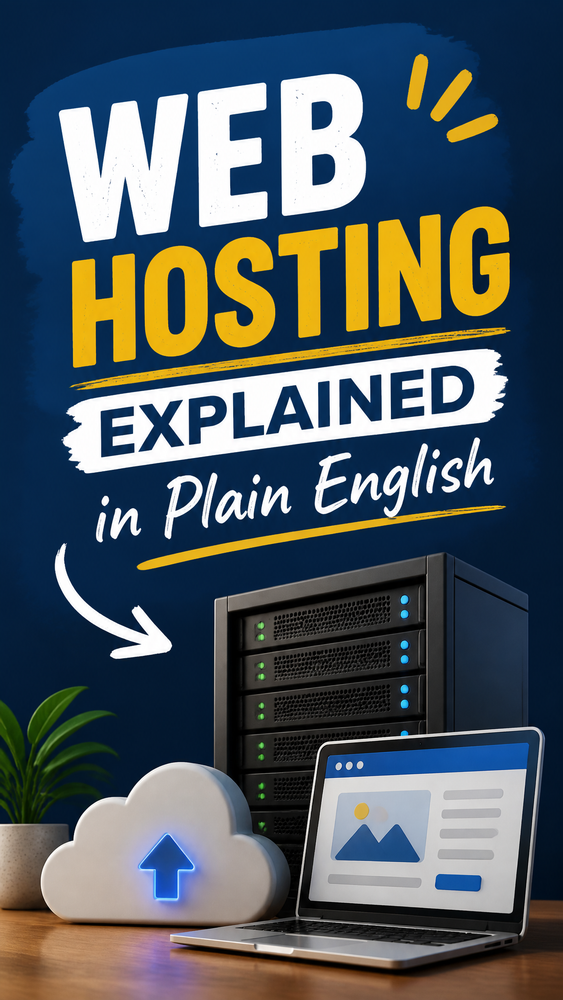
Every website in the world lives on a computer somewhere. Not your laptop – a specialist computer called a server, which is connected to the internet 24 hours a day, 7 days a week, so that anyone in the world can access your site at any time.
Web hosting is essentially the service of renting space on a server.
When someone types your website address into their browser, their computer sends a request to the server where your site lives, the server sends back your website, and it appears on their screen. All of that happens in a fraction of a second.
That server, and the company that runs it, is your web host.
A simple analogy
Think of it this way. Your website is a house. Your domain name (like howtostartyourwebsite.com) is the address. And your web hosting is the land the house sits on.
You can have a beautiful house (a stunning website) and a memorable address (a great domain name) – but without land to build it on, none of it exists.
Your hosting provider is the company that owns the land and rents you a plot.

What does a web host actually do?
When you pay for web hosting, you’re paying for:
Storage – somewhere to keep all your website’s files: the text, images, code, and everything else that makes up your site.
Connectivity – a fast, reliable connection to the internet so your site loads quickly for visitors.
Uptime – the assurance that your site will be available when people try to visit it. Good hosts aim for 99.9% uptime, meaning your site is barely ever down.
Security – most hosts include SSL certificates (the little padlock in your browser bar), malware scanning, and regular backups.
Support – someone to call or chat to when something goes wrong, which at some point it will.

Do you actually need web hosting?
This is the question most guides skip over, so let’s answer it properly.
The honest answer: it depends on which platform you’re using.
There are two types of website platforms, and they handle hosting very differently.
Type 1 – Hosted platforms (hosting is included)
Platforms like Squarespace, Wix, Shopify, and WordPress.com are what’s called “hosted” platforms. This means hosting is built into the price you pay. You sign up, pay a monthly fee, and the platform takes care of all the server stuff behind the scenes. You never have to think about it.
If you’re using one of these, you don’t need to buy separate hosting. It’s already sorted.
Type 2 – Self-hosted platforms (you need your own hosting)
The main one here is WordPress.org – the version of WordPress you install yourself, rather than the hosted version at WordPress.com.
Self-hosted WordPress gives you much more flexibility and control, but it does mean you need to sort your own hosting. You download WordPress, choose a hosting provider, and install WordPress on their server. It sounds more complicated than it is – most hosts make it a one-click process – but it is an extra step.
Quick rule of thumb:
- Using Squarespace, Wix, Shopify, or WordPress.com? Hosting is included. Nothing to do.
- Using self-hosted WordPress (WordPress.org)? You’ll need to choose a host separately.

What are the different types of hosting?
If you’ve decided you need hosting (or you’re just curious), you’ll quickly come across several different types. Here’s what they mean in plain English – with typical costs shown for both the US and UK, since neither market is really the “default” price.
Shared hosting
The most common and affordable option. Your website shares a server with hundreds or thousands of other websites. Think of it like living in a block of flats – you each have your own space, but you’re sharing the building’s infrastructure.
Good for: new websites, blogs, small businesses, and anyone starting out. Typical cost: USA: ~$2–$15/month. UK: ~£2–£10/month. Examples: Bluehost, SiteGround (entry plans), Hostinger.
VPS hosting (Virtual Private Server)
A step up from shared. You still share a physical server with others, but your portion is partitioned off so you get dedicated resources. More like a terraced house – separate but part of a row.
Good for: growing websites that have outgrown shared hosting. Typical cost: USA: ~$10–$50/month. UK: ~£10–£40/month.
Managed WordPress hosting
Hosting specifically optimised for WordPress sites. The host takes care of WordPress updates, security, backups, and performance tuning for you. More expensive, but you get more support and better performance.
Good for: serious WordPress sites, businesses, and anyone who wants things handled for them. Typical cost: USA: ~$25–$100+/month. UK: ~£20–£80+/month. Examples: Kinsta, WP Engine, SiteGround GrowBig.
Dedicated hosting
You rent an entire server to yourself. Maximum performance and control, but expensive and overkill for most sites.
Good for: very high-traffic websites, large ecommerce stores. Typical cost: USA: ~$100–$350+/month. UK: ~£80–£300+/month.

What should you look for in a web host?
If you’re choosing a host for the first time, here are the things that actually matter.
Uptime – look for hosts that guarantee 99.9% uptime or higher. Anything less and your site risks being unavailable when people try to visit.
Speed – page loading speed affects both user experience and your Google rankings. Look for hosts that use SSD storage and have servers in or near your target country.
Support – for beginners, especially, 24/7 live chat support is worth its weight in gold. The question isn’t whether something will go wrong, it’s when. You want someone to help you when it does.
Ease of use – most beginner-friendly hosts come with cPanel (a control panel for managing your hosting) and one-click WordPress installation. If you’ve never set up hosting before, look for hosts that make this straightforward.
Price at renewal – this is the one that catches people out. Many hosts offer very low introductory prices that jump significantly when you renew. Always check the renewal price before you sign up, not just the headline offer.
Backups – Does the host automatically back up your site? How often? Can you restore a backup easily? These questions matter a lot if something ever goes wrong.

Which host should you choose?
That depends on your budget, your site type, and how much you want to manage yourself – which is exactly why we built a quiz for it.
For most people starting a new WordPress site, Bluehost or SiteGround is a sensible starting point. Both are beginner-friendly, both install WordPress in one click, and both are officially recommended by WordPress.org.
If budget is your absolute priority, Hostinger offers excellent value for the price. If you’re building something more serious from day one and want better performance and support, SiteGround is worth the slightly higher price.
Not sure which is right for you? Our hosting quiz will point you in the right direction in about two minutes.
Take the WordPress hosting quiz →

A quick recap
Web hosting is the service of renting space on a server so your website can be hosted on the internet and accessed by anyone, anywhere.
Whether you need it depends on your platform. Squarespace, Wix, and Shopify include hosting in their fees. Self-hosted WordPress requires you to choose your own hosting provider separately.
For most new websites, shared hosting is the right starting point – it’s affordable, beginner-friendly, and more than capable for a site in its early stages.
Frequently asked questions
What is web hosting in simple terms? Web hosting is a service that rents you space on a server – a computer permanently connected to the internet – so your website’s files are always available for people to visit, anywhere in the world.
Do I need web hosting for my website? It depends on the platform. Squarespace, Wix, Shopify, and WordPress.com all include hosting in their fees, so there’s nothing extra to buy. Self-hosted WordPress (WordPress.org) is the main exception – you’ll need to choose and pay for hosting separately.
Is web hosting free? Free hosting exists, but it’s rarely worth using for a real website – expect limited storage, ads you can’t remove, and no custom domain. Paid shared hosting is inexpensive and a far more reliable starting point.
How much does web hosting cost? For a new site, shared hosting typically runs USA: ~$2–$15/month, UK: ~£2–£10/month. Costs rise from there depending on the type of hosting and how much traffic and support you need.
Ready to choose your host? Take our 2-minute WordPress hosting quiz →
Howtostartyourwebsite.com may get paid commission for purchases made after clicking a link on this page. This website is for inspiration purposes only. The content provided is meant to spark creativity and ideas, not to serve as professional advice or as endorsement.